01
Screen image analysis
NeuroSK analyzes a captured image of Fortnite and detects visible characters. The model receives image pixels; target size, background and occlusion affect the result. Missed targets and false positives are possible.
NeuroSK Fortnite
A neural network finds visible characters in Fortnite and helps move the crosshair while you hold the aim button. Try it on a frame from your game.
Windows 10/11 · NVIDIA GTX 1660 or above
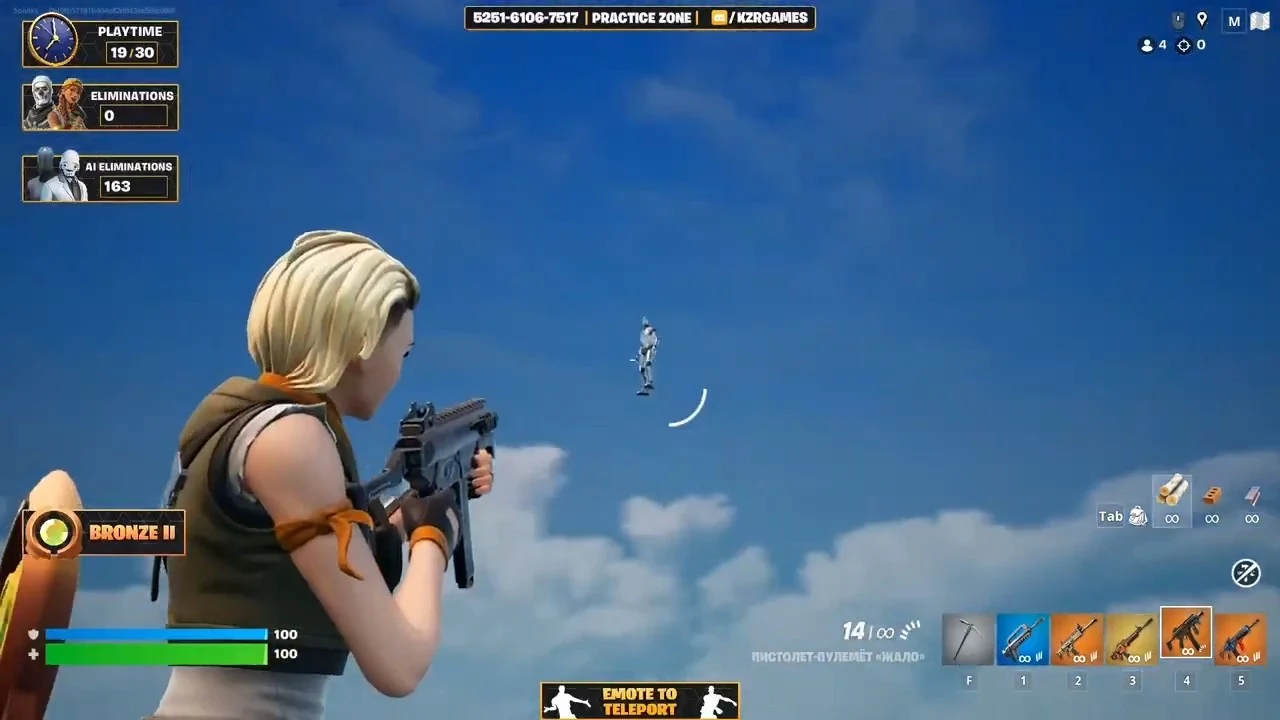
NeuroSK analyzes a captured image of Fortnite and detects visible characters. The model receives image pixels; target size, background and occlusion affect the result. Missed targets and false positives are possible.
While the aim control is held, the desktop program calculates mouse movement and sends it through the selected input method. The absence of game injection and game-memory access does not guarantee protection from detection or bans.
The initial configuration is prepared out of the box. Limit game FPS to your monitor refresh rate or lower, keep your familiar sensitivity, and adjust Speed on a practice range. Game FPS, capture frequency and processing FPS are different values.
Fortnite benefits from a wider working area and stable tracking during jumps, building, and vertical movement.
Stable correction while the target is moving.
Covers rapid movement across the screen.
Designed around fast encounters.
One frame. Two perspectives.
Explore the objects NeuroSK finds in different game scenes.
The model may detect the local player. A box alone does not identify an enemy.
Move the divider left to reveal the cyan boxes.
This is a saved result. Run a fresh check on your own device whenever you’re ready.
Run this frame again1280 px WebP · 480 × 480 input · WASM · 10% saved threshold · 0.45 IoU. Prepared 23 October 2026. Images were resized with Sharp; browser results can differ slightly. Portable is not the full desktop Advanced 6.0 model.
SHA-256: c3b3558c64e195918f603a9bc6e2ea9f68b842ac012d539015d6398763838e94Loading video
Compatibility, setup and what to know before buying.
NeuroSK analyzes screen images and sends mouse movement through supported input methods. Not reading game memory does not guarantee protection from detection or bans. Game and server rules still apply.
A neural network detects visible characters in the captured image. When the aim control is held, the desktop program uses the selected target point and speed settings to calculate mouse movement. Detection can miss targets or produce false positives.
Check different skins, building and jumps. Character size and visibility change from frame to frame. The browser demo shows what the model found. It does not control the mouse in a game. A percentage beside a box shows model confidence, not aiming accuracy.
The initial configuration is prepared out of the box. Start by limiting game FPS to your monitor's refresh rate or lower, keep your familiar in-game sensitivity, and adjust Speed on a practice range. Change one setting at a time. Game FPS and capture frequency are different values.
64-bit Windows 10 or 11 and an NVIDIA graphics card. Minimum: NVIDIA GTX 1660. GPUs below GTX 1660 are not recommended. An extra mouse-control board is optional. Processing speed depends on your computer and settings.
Capture and neural-network inference use PC resources. The effect depends on GPU load, resolution, the model and settings. Compare game FPS and frame time with the same scene and settings, first without NeuroSK and then with it. Processing FPS shown in AI Lab is not game FPS.
The public getting-started guide explains the overall process. Current installation instructions and downloads in Instruction and Updates require a purchased license key. The initial model optimization happens locally and its duration depends on your PC; a fixed installation time is not guaranteed.
The project's interactive terminal. Start with the help command.
The browser demo is free and works without installing the Windows app.